Product spec · Version 1.0 · September 2026

Compass

Compass lets college students try a small, realistic piece of each career path they’re weighing, notice how it felt, and choose their next step with evidence. It supports the decision; it never makes it for them.

Stage
Minimum lovable product
Status
Live preview and early access
Platform
Web, designed mobile-first
Try it
The live product

01

The job to be done

“When I’m stuck between two or three career paths, help me try a realistic piece of each, so I can choose my next step with evidence instead of guesswork.”

Students don’t lack information. They have job descriptions, alumni advice and career assessments, and still can’t answer the question that matters most: would I actually enjoy doing this? Compass answers it the only honest way, by letting them try the work.

02

Who needs it

Primary user

College students and recent graduates stuck between two or three paths

Usually from their second year onwards, weighing paths like product, consulting and data. They’ve done the research. What they’re missing is experience of the work itself.
Buyer, later

University career centers

They need guidance that reaches every student, not only those who book an appointment, and a clearer view of what their students are weighing.

Not for: people who already know what they want, or who want a test to tell them what to be.

03

When they need it

  • Before internship and placement applications open, when they’re choosing where to apply.
  • When choosing electives, a major or a specialization, and the choice will shape what comes next.
  • Before accepting a first job offer, when the stakes suddenly feel real.
  • After an internship that didn’t feel right, when they’re reconsidering their direction.

04

What they should be able to accomplish

  1. Compare

    See what each path actually involves.

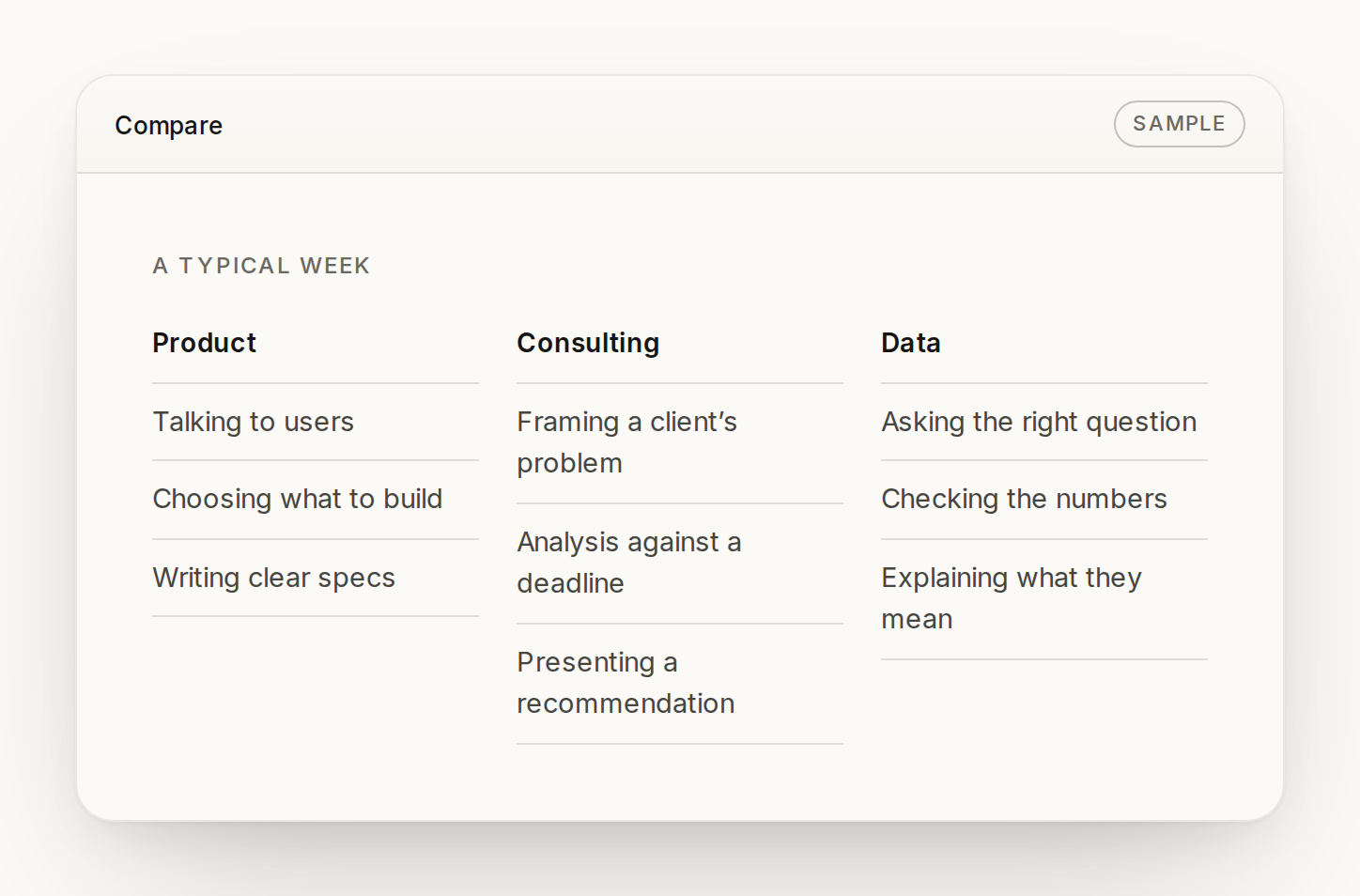
    Done when they can describe a typical week in each path they’re weighing.

  2. Experience

    Make a realistic decision from the job.

    Done when they’ve made a real call from each path, in minutes, with nothing at stake.

  3. Reflect

    Notice how it felt.

    Done when they can name what energized them and what drained them.

  4. Decide

    Choose a next step with evidence.

    Done when they leave with a summary of what they noticed and one small, real-world way to test their direction.

Throughout: without being scored, ranked or told what to choose. The decision stays theirs.

05

Feature list

Live now In the public preview

Path switcher
Try Product, Consulting or Data from one screen, by mouse, touch or keyboard.
Realistic decision
Each path poses one decision from the job, with context and four credible options.
Sample insight
After choosing, “a signal worth noticing” explains what the choice suggests. Clearly labeled as a sample.
In the role
A short note on how people in the job actually approach that call.
Reflection check-in
Energizing, fine or draining, with a response that helps name the signal.
Next path and retry
Move straight to a path not yet tried, or take the same decision again.
Early-access signup
Name, email, college, year, up to three paths, when they need to decide, their biggest challenge, whether they want a founding-pilot spot or just updates, and confirmation that they’re 18 or older. Paths already tried are pre-selected. Validated, and works without JavaScript.

Next The first full product

Accounts and saved progress
Keep experiences and reflections across visits.
Compare view
A typical week in each chosen path, side by side.
Experience packs
Several short decisions per path, from first-week tasks to harder calls.
Signal summary
Reflections gathered across every experience and path, in one place.
Decision summary
What you tried, what you noticed and what it suggests, ready to revisit or share.
Next-step plan
One small real-world test of a direction: a course, a project or a conversation.

Later Once the core is proven

More paths
Design, engineering, finance, research, marketing and more.
Personalized experiences
Shaped around the paths and challenges each student names.
Optional human guidance
Talk it through with someone who has done the work, only if the student wants to.
Student pass
A low-cost pass that unlocks full experience packs for each path.
Career-center license
Compass for every student at a university, with anonymized, aggregate insight for the career team.

06

Product screens

Live screens are working today at the Compass site. Design screens show the full product we’re building, with sample content.

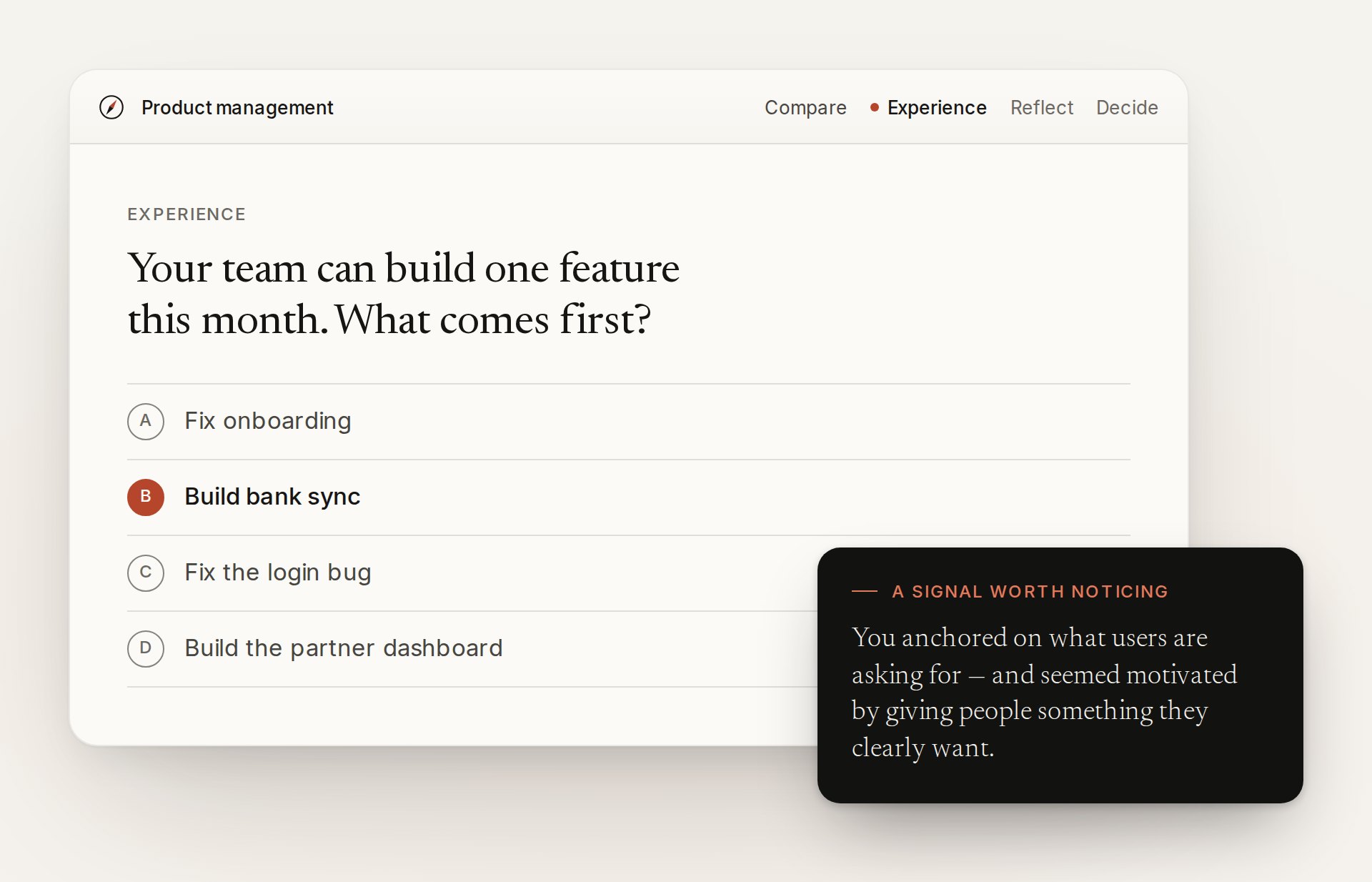
A Compass decision screen for product management: four options with ‘Build bank sync’ chosen, and a dark card titled ‘A signal worth noticing’.
Design Experience: a product management decision, the choice made, and what it suggests.
The Compare screen: a typical week in product, consulting and data, listed side by side.
Design Compare: a typical week in each path, side by side.
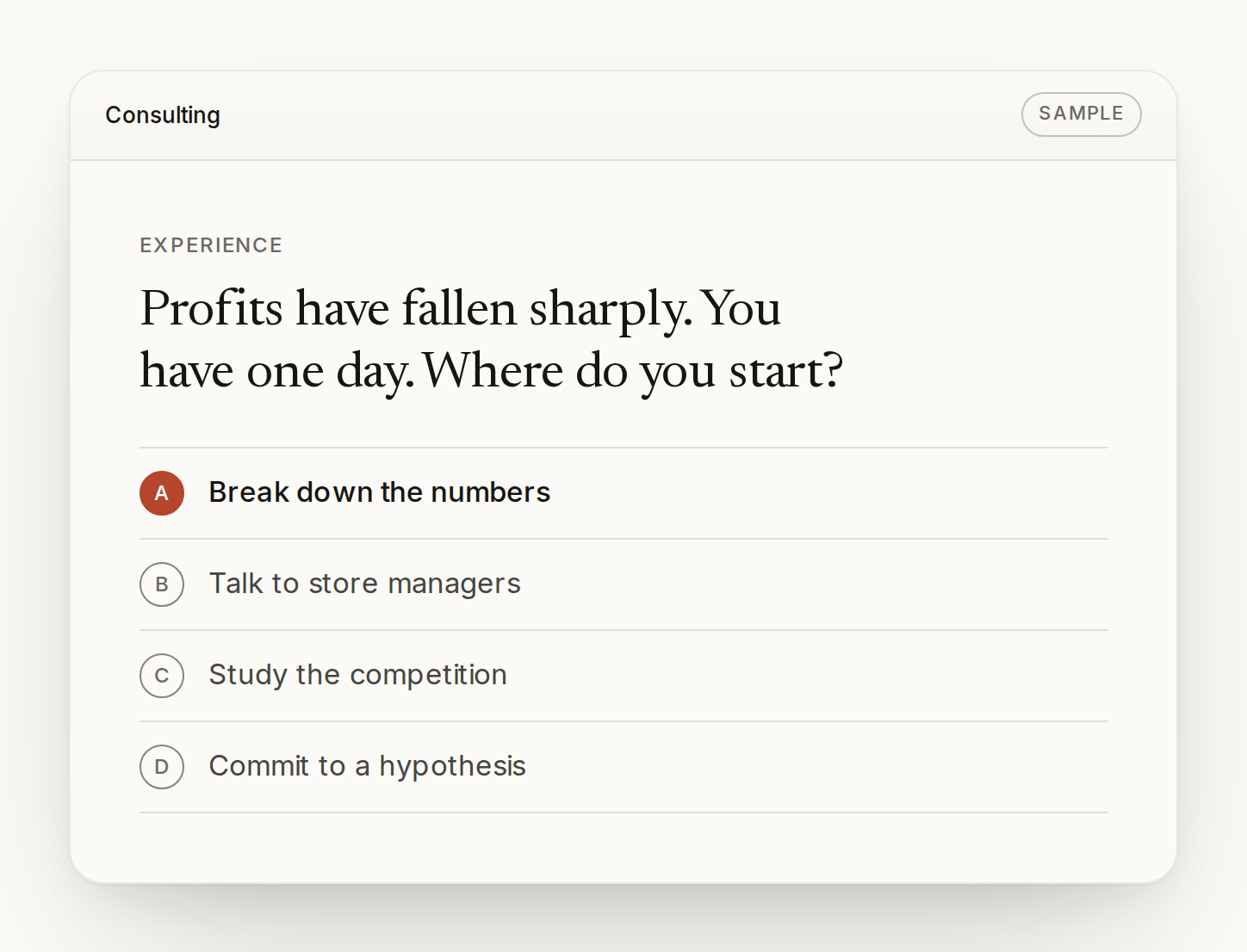
A consulting decision: profits have fallen sharply, where do you start? ‘Break down the numbers’ is chosen.
Design Experience: a consulting decision under a deadline.
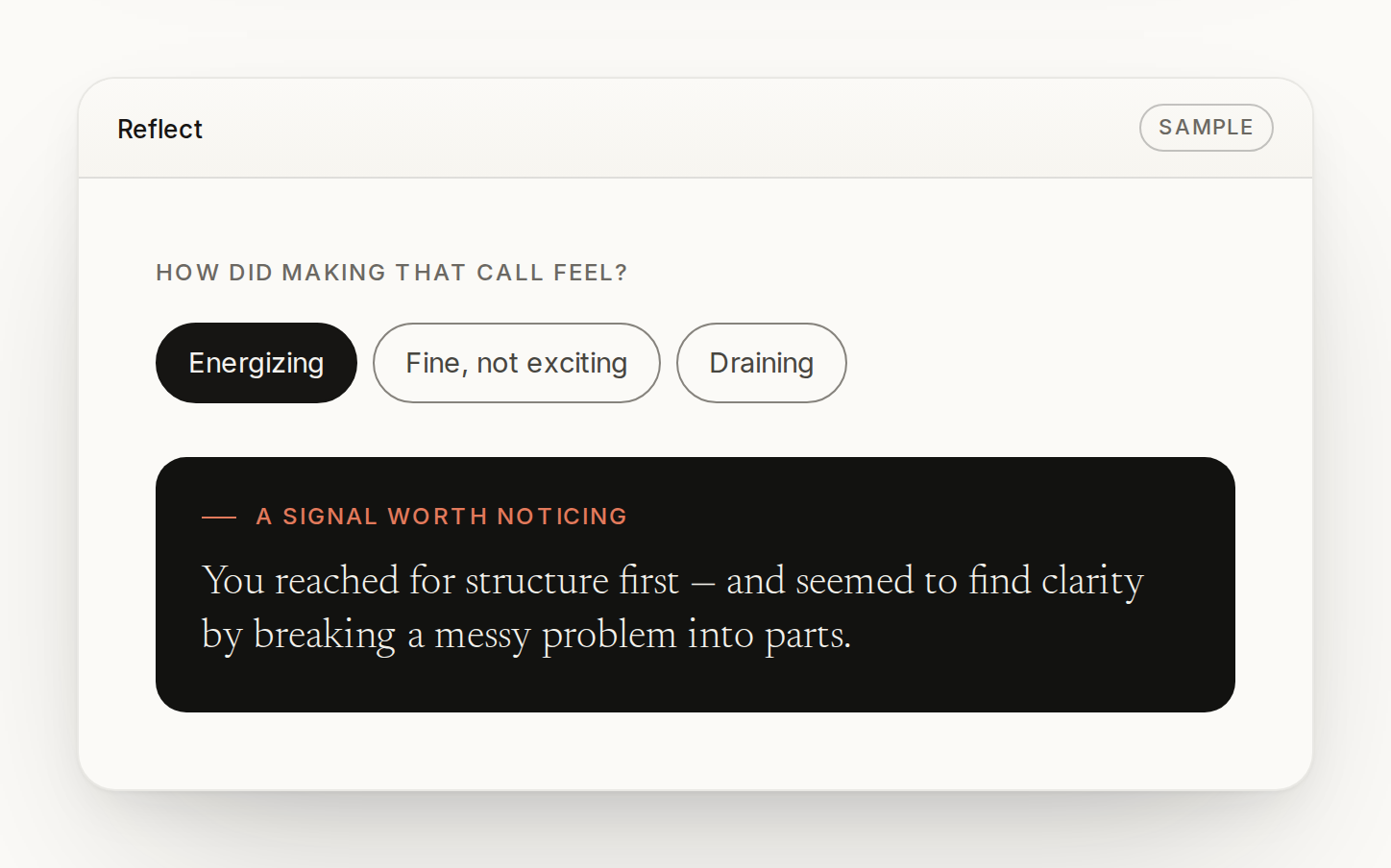
The Reflect screen: ‘How did making that call feel?’ with Energizing selected and a sample insight.
Design Reflect: naming how the decision felt.
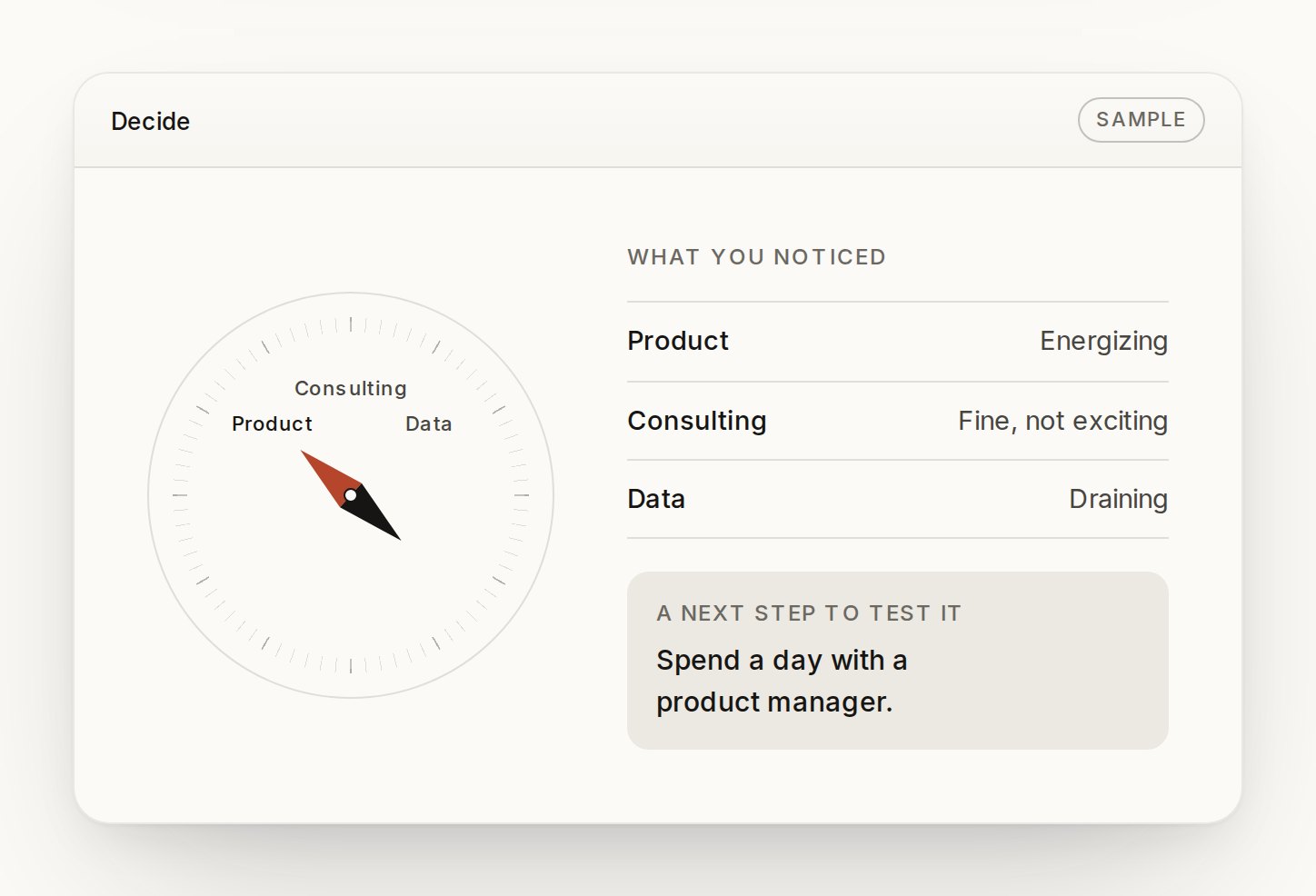
The Decide screen: a compass needle pointing toward Product, how each path felt, and a suggested next step.
Design Decide: what you noticed, and one next step to test it.
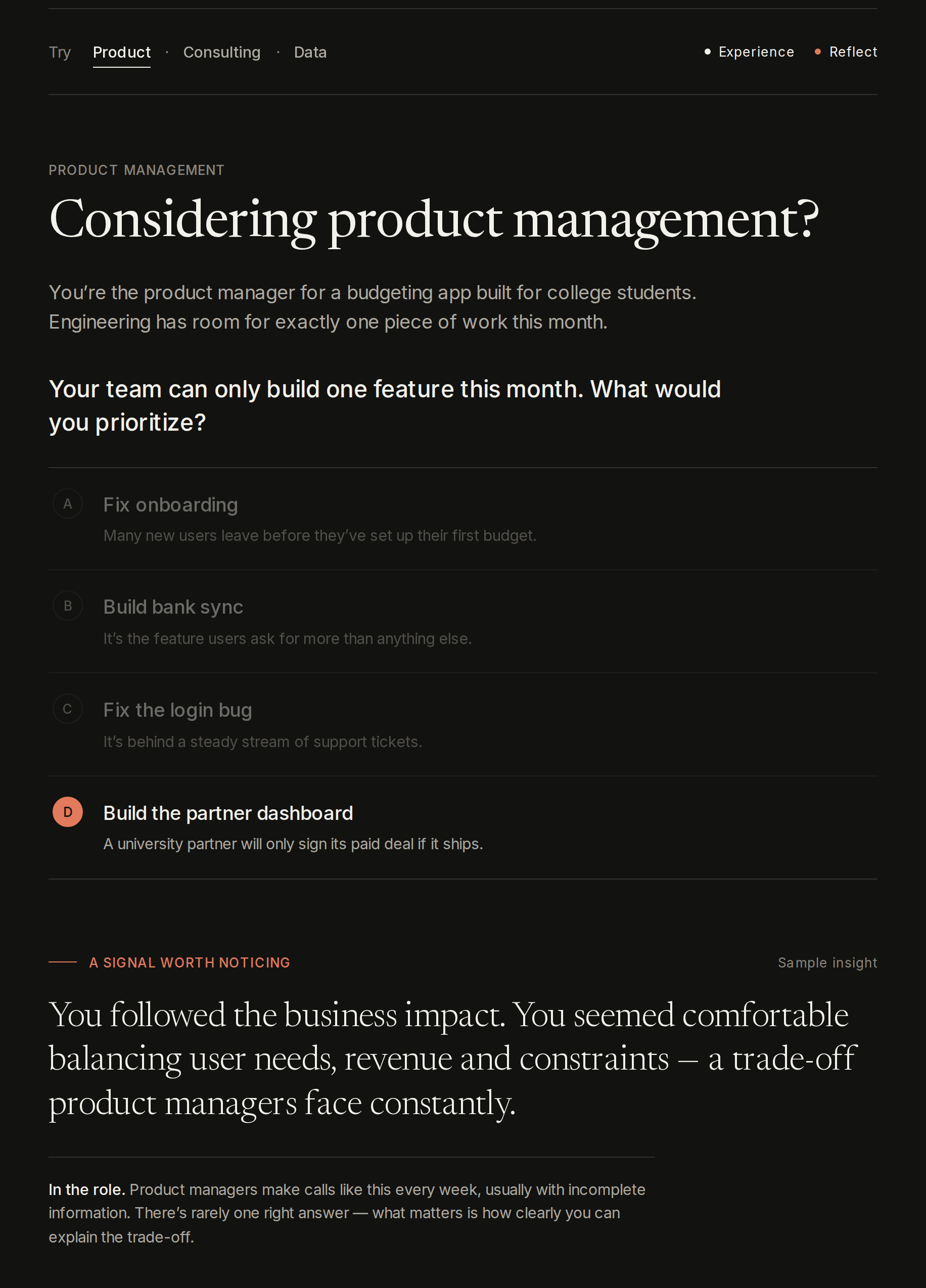
The live preview: ‘Considering product management?’ with four options, one chosen, and a sample insight below.
Live Try it: a real decision, the choice, and a sample insight.
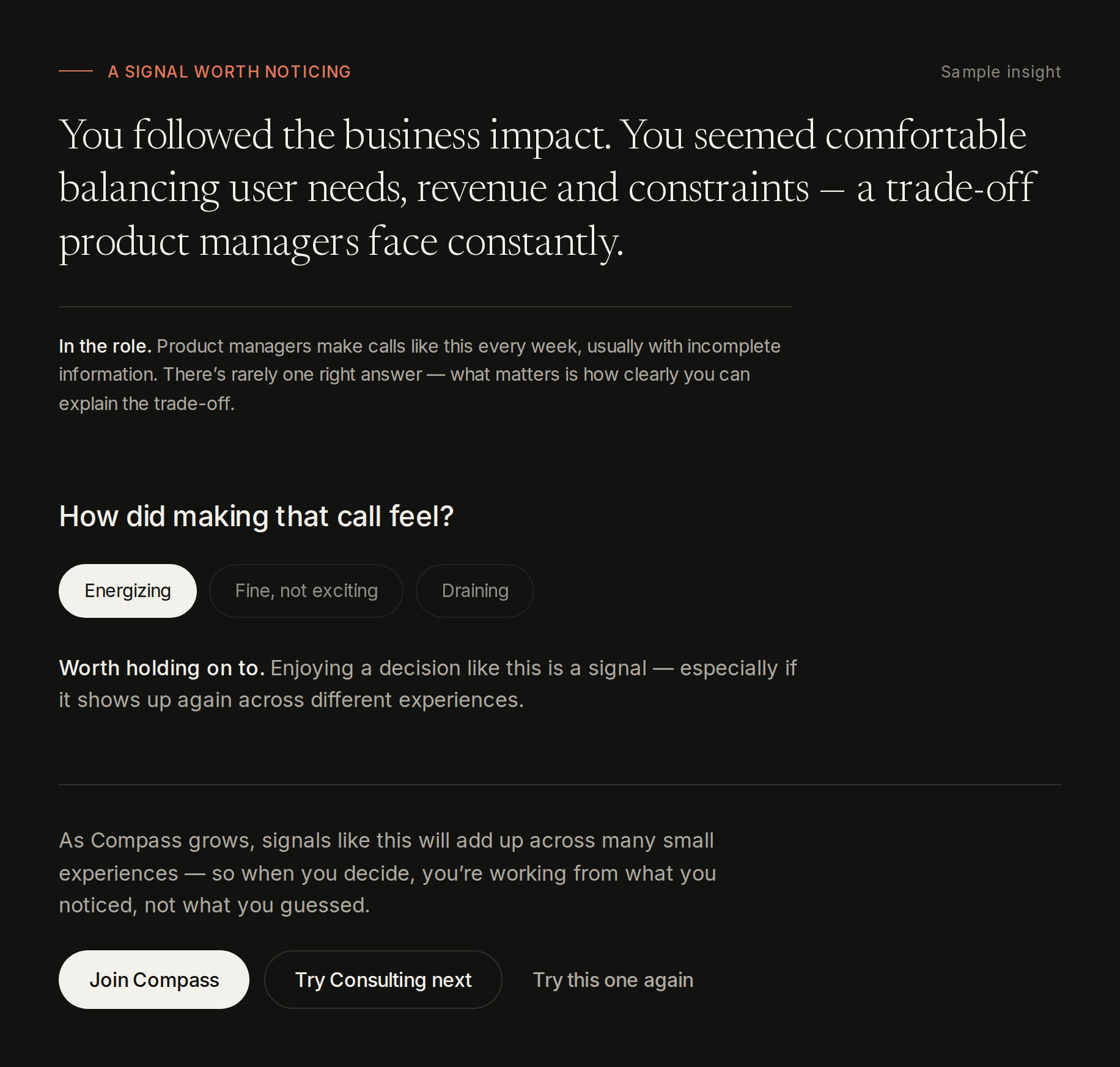
The live preview after choosing: the insight, the reflection question with Energizing selected, and buttons to join or try the next path.
Live Reflect, then join or try the next path.
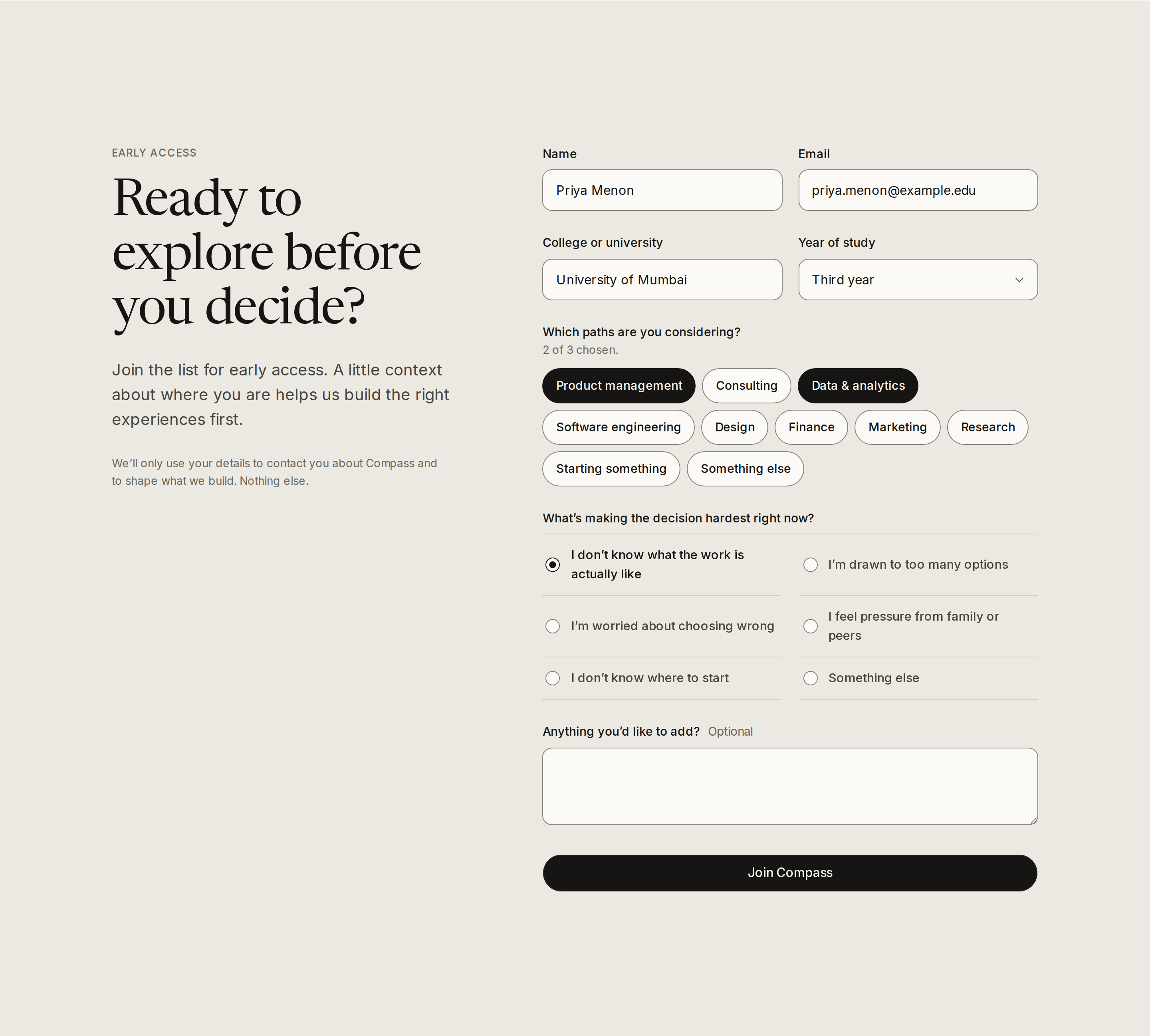
The early-access form with name, email, college, year, the paths being considered and the biggest challenge.
Live Early-access signup, with the paths already tried pre-selected. Shown before the pilot, timing and 18+ questions were added.
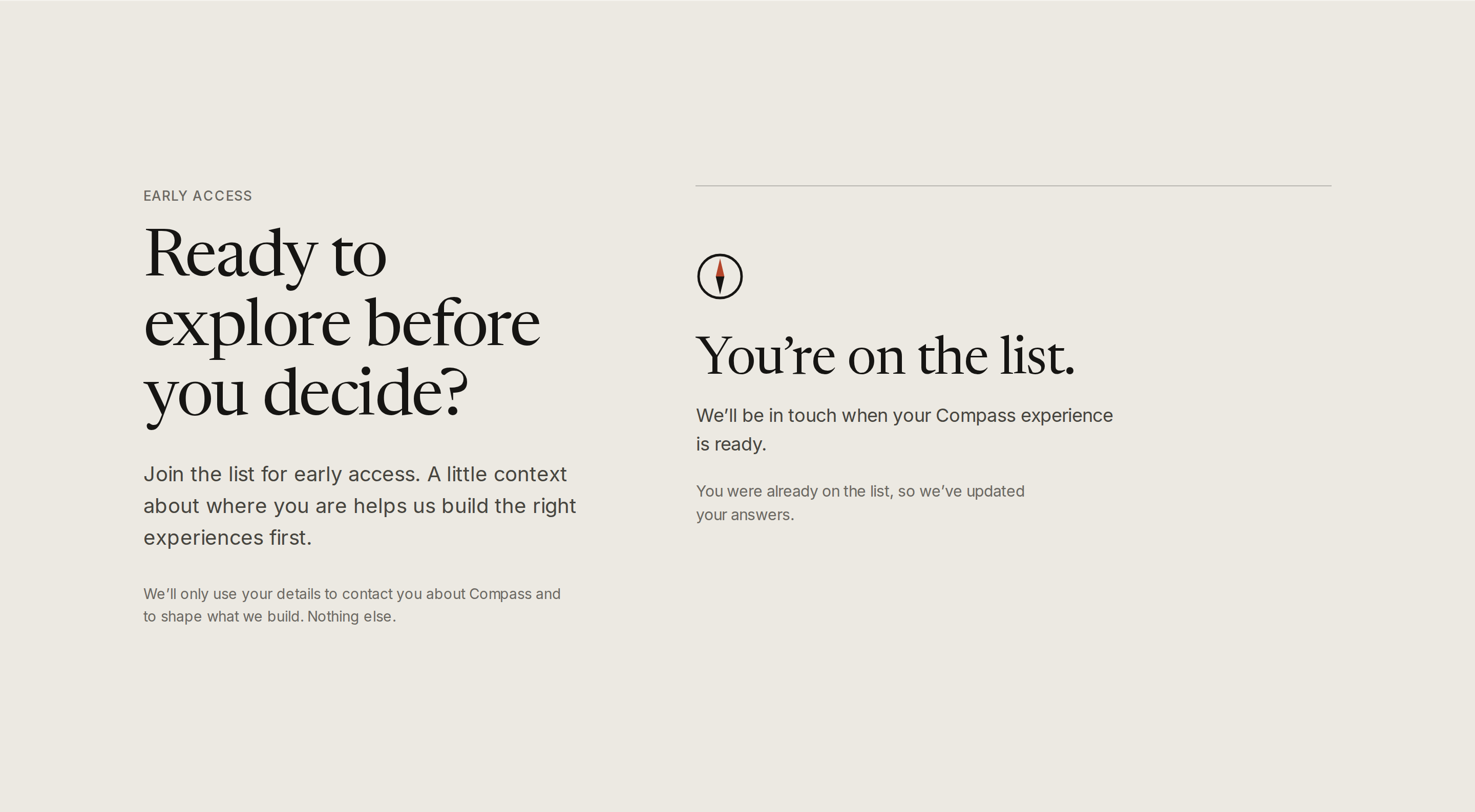
The confirmation: ‘You’re on the list. We’ll be in touch when your Compass experience is ready.’
Live Confirmation after joining.
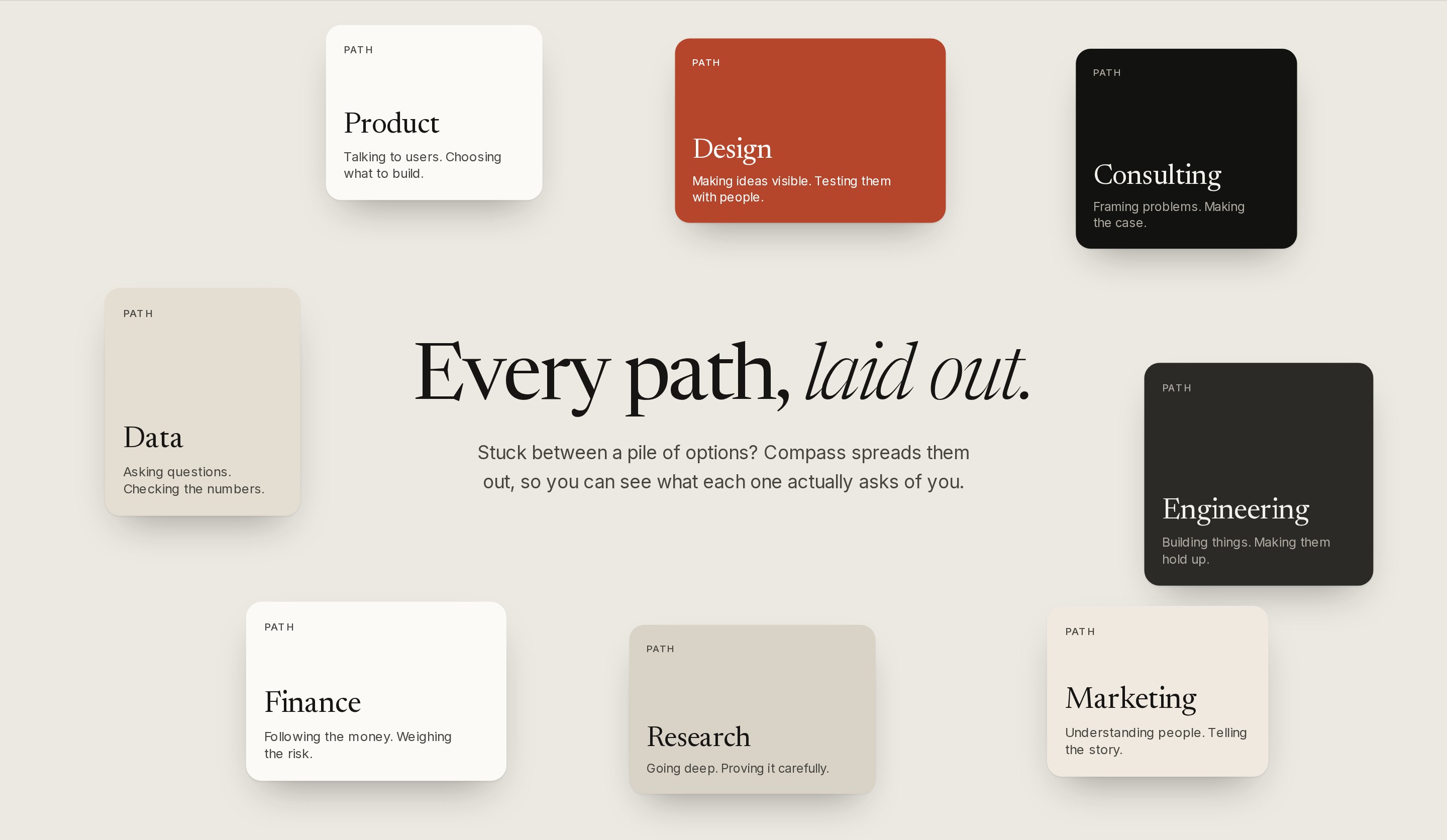
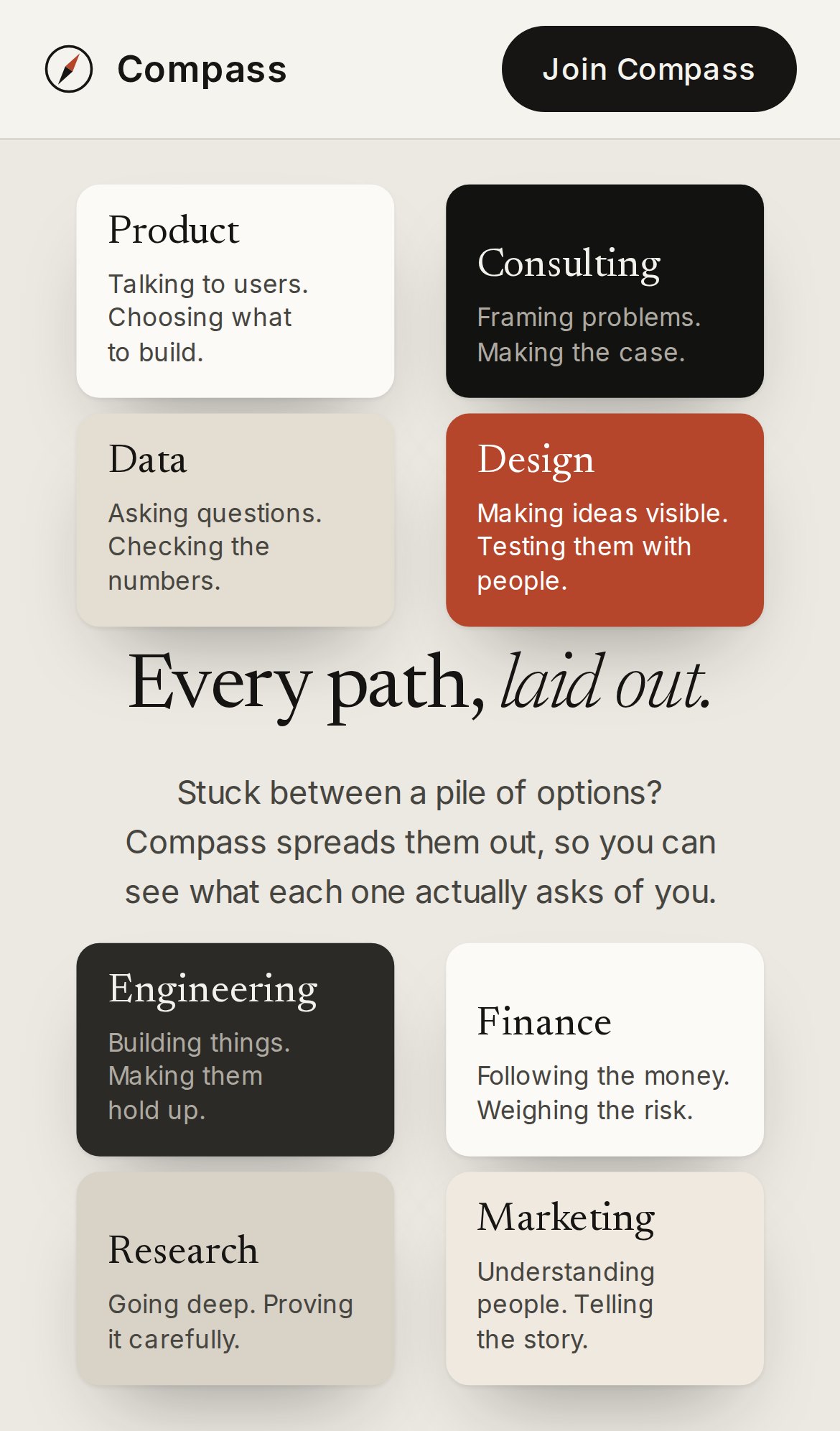
Eight career-path cards laid out around the headline ‘Every path, laid out.’
Live Every path, laid out: eight paths spread from a pile as you scroll.
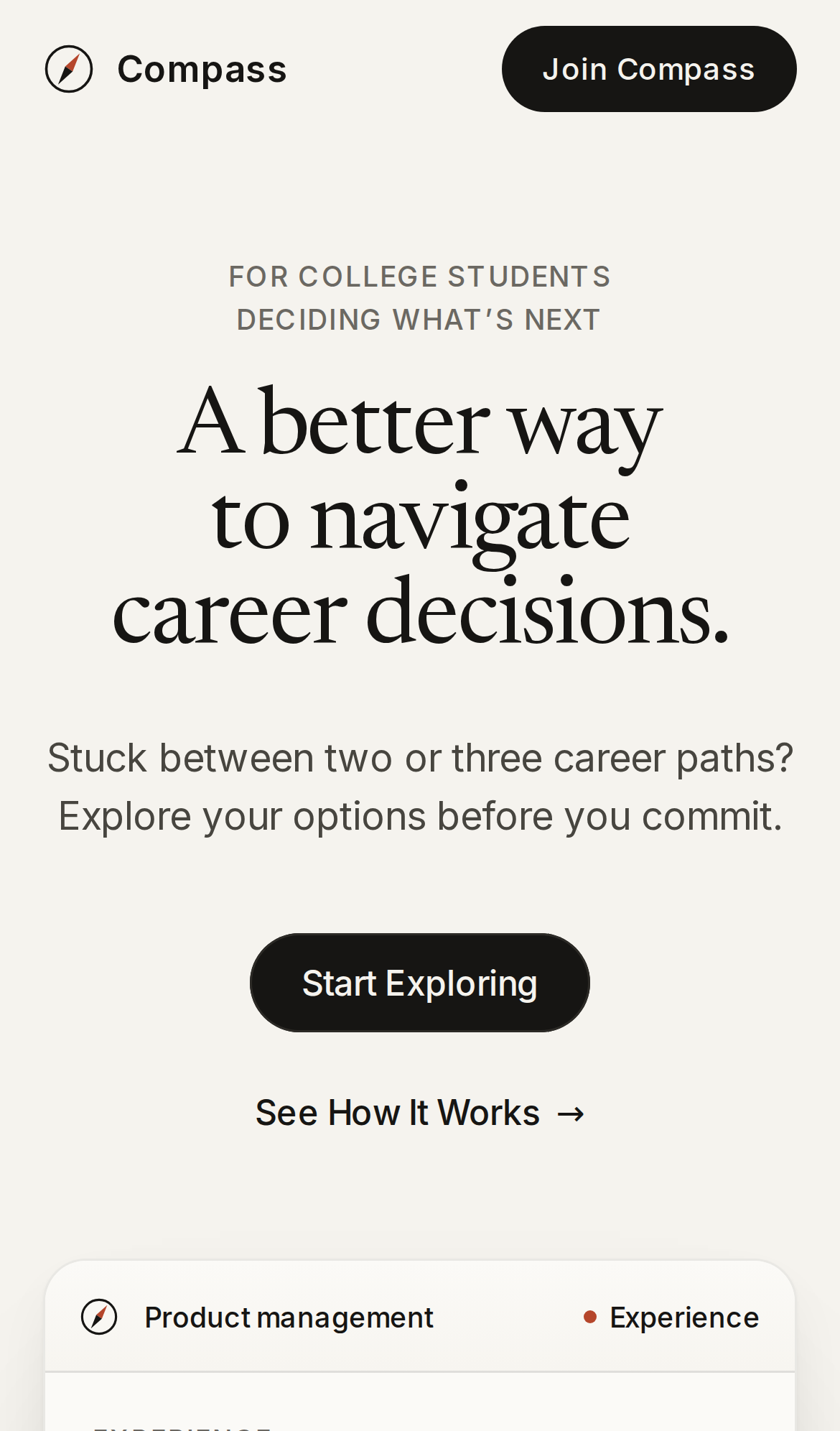
Compass on a phone: the headline, ‘Start Exploring’ and the product window.
Live Mobile: home.
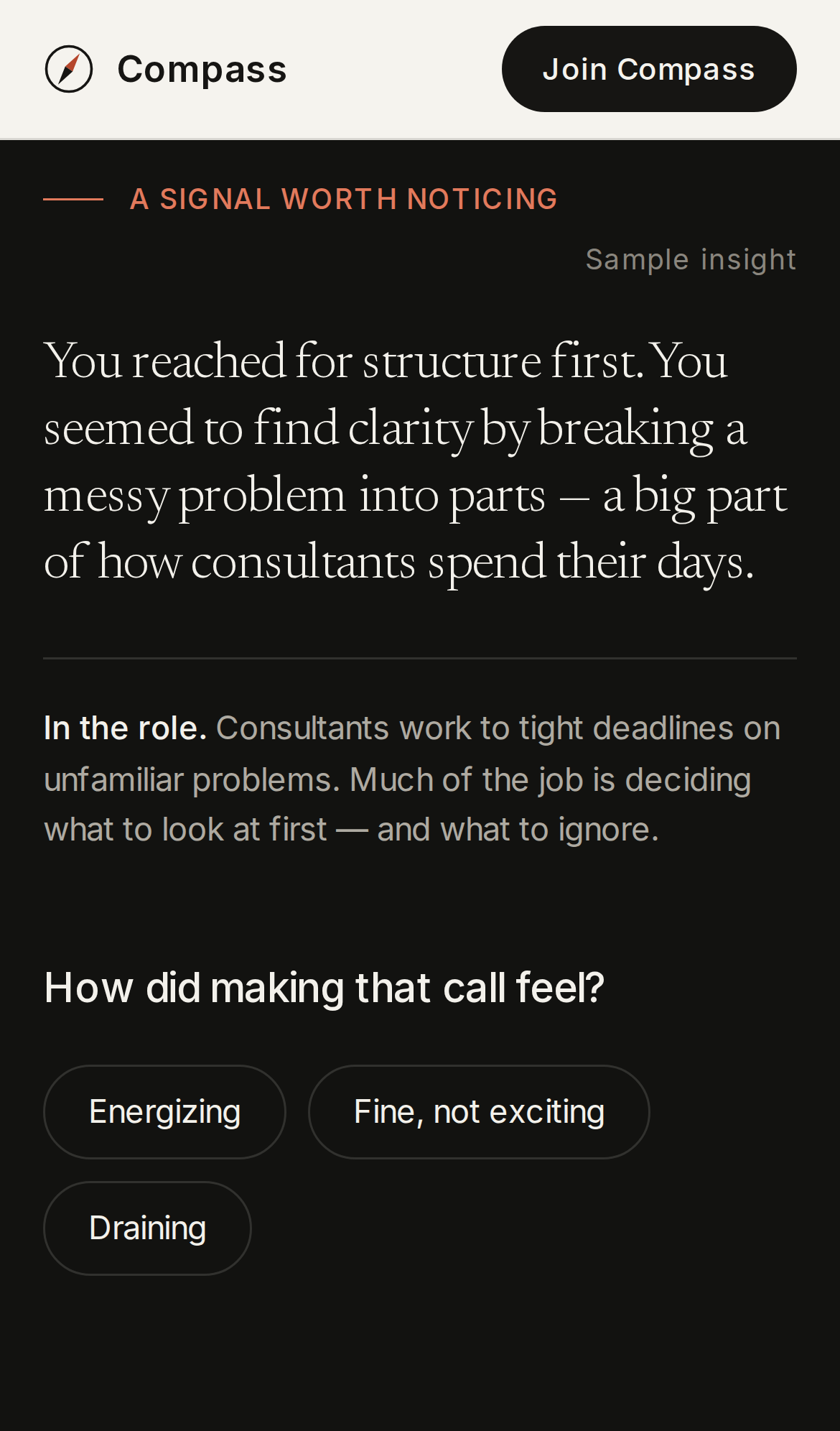
Compass on a phone: a consulting insight and the reflection question.
Live Mobile: insight and reflection.
Compass on a phone: eight path cards in two columns around the headline.
Live Mobile: every path, laid out.

07

Principles and non-goals

Principles

  • You make the call. No scores, no rankings, no verdicts.
  • Experience over information. Show the work; don’t describe it.
  • Honest by design. Samples are labeled. No cookies, analytics or third-party scripts.
  • Small and calm. Minutes per experience, never hours.

Not building

  • Personality or aptitude tests.
  • Job boards or course marketplaces.
  • A chatbot that talks at students.
  • Anything that ranks careers for someone.

08

How we’ll know it’s working

  • Completion: visitors who make a decision and then reflect on it.
  • Curiosity: how many paths each visitor tries.
  • Intent: early-access signups, and the paths and challenges they report.
  • Impact: follow-up conversations. Did Compass change what they did next?